
Hello, Operatives.
We are pleased to introduce the Official Web Shop, designed to offer a more streamlined experience for you.
Please see the guide below for everything you need to know to get started.
✔️ What is the Web Shop?
The Resident Evil Survival Unit Official Web Shop is a dedicated platform where you can purchase Medallions to enhance your gameplay experience.
✔️ Understanding Medallions
Medallions are an exclusive Web Shop currency designed for seamless in-game transactions.
● If your Medallion balance covers a product's price, you can use them instantly for in-app purchases.
● If your balance is low or you choose not to use them, transactions will revert to standard in-app purchase methods.
> Medallions are bound to the specific Operative logged in at the time of purchase and cannot be shared across different Operative profiles on the same account.
> Direct Medallion purchases on the Web Shop do not trigger Accumulated Recharge events.
> However, spending those Medallions on in-game products may count toward purchase mission/quests, depending on the specific event rules.
✔️ Why Use the Web Shop?
1. Exclusive Bonuses: Receive additional bonus Gems when purchasing select products through the Web Shop.
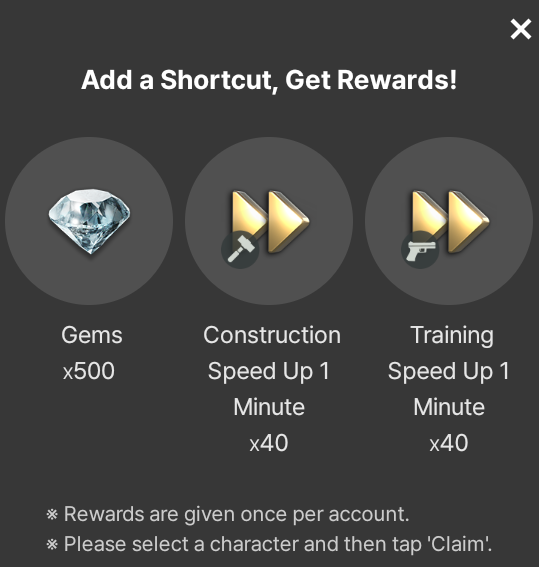
2. Instant Gift: Get a special reward just for adding the Web Shop shortcut to your home screen!
✔️ Product Delivery & Management
● Medallions allow for quick and easy acquisition of various in-game packages.
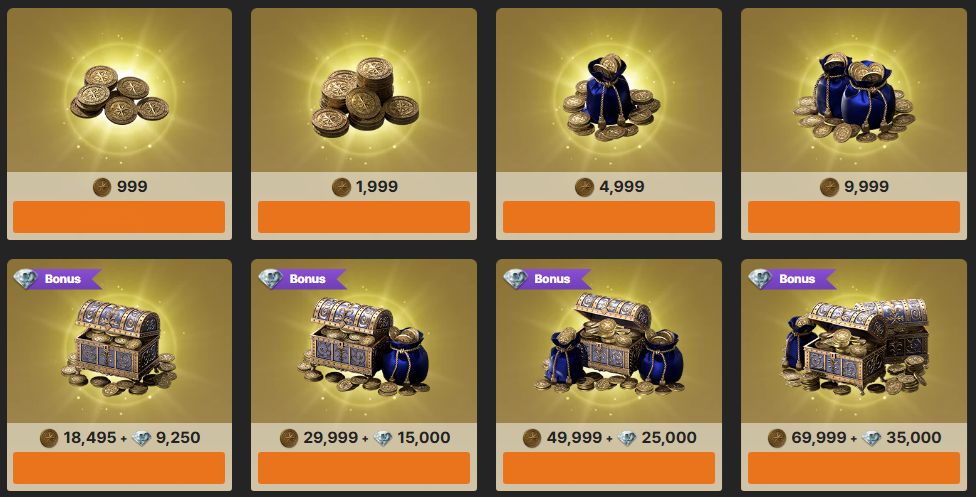
> Automatic Delivery: Items are sent directly to your in-game account. Please verify your Operative details before finalizing a purchase.
> Non-Transferable: Medallions are locked to the specific Operative and cannot be transferred.
> Troubleshooting: If a product doesn't appear immediately, please restart the game.
✔️ How to Navigate the Web Shop
1. Access the Shop
> Visit the Resident Evil Survival Unit Official Web Shop [Go to Web Shop]
2. Secure Login
Click the [Login] button in the top-right corner. Use the same credentials linked to your in-game profile.
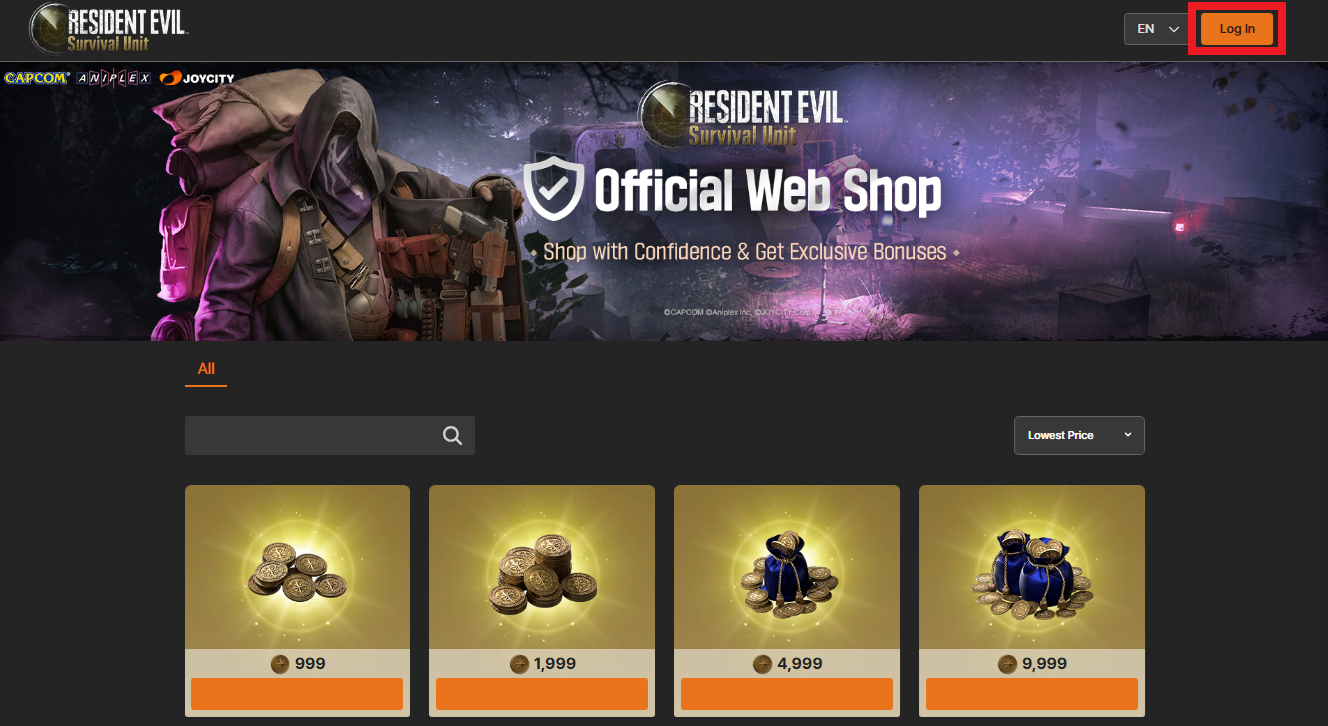
> You must be logged in to the specific account intended for the purchase.
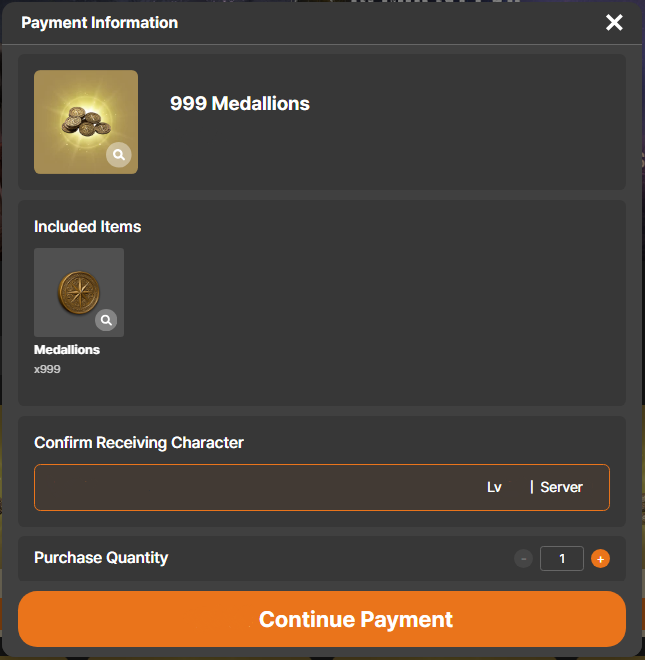
3. Verify Operative Information
Before confirming any transaction, double-check the World and Operative name displayed.
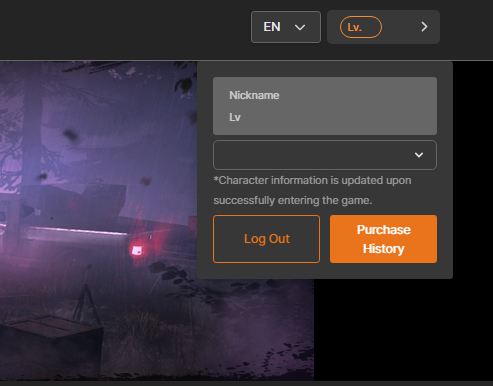
4. Purchase & Deploy
Select your product, confirm the recipient, and complete your payment.
🚨 Essential Precautions
> Accuracy is Key: Products are delivered to the Operative selected at the time of purchase. Always verify your info first.
> Maintenance: Access may be temporarily restricted during scheduled server maintenance.
> Third-Party Fees: Depending on your bank or card issuer’s policies, additional currency conversion fees (double exchange) may occur. These are determined by your financial institution, not this website.
> Future Updates: This guide is subject to change as we continue to improve our services.
We are constantly expanding our catalog to better support our Operatives. Stay tuned for more updates!
Thank you.